SRC:MPlayer-1.0rc2.tar.bz2
CODE:rp9codecs-win32-20050115.tar.bz2
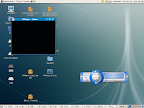
SKIN:BLUE
Linux軟體安裝有很多方法,安裝前因先閱讀readme檔,底下是簡單常見的安裝方法
#./configure --enable-GUI
(執行目錄中的指令稿,偵測system環境,即產生compiler所需要的設定檔,並設定gui有效,這邊參數設定很重要...還不熟只能先這樣了)
#make (compiler程式)
#make install (安裝compiler完成的程式)
安裝code,基本上只要解開放到/usr/lib/win32/或/usr/lib/wincodecs/目錄下就ok了
安裝skin基本上只要解開放到/usr/local/share/mplayer/skins/default or ~/.mplayer/skins/default
待續...


沒有留言:
張貼留言